

So many daily tasks, team-wide processes, and company operations run on the back of spreadsheets. But sometimes, your spreadsheet just isn’t enough. That’s when you need to turn that spreadsheet into a piece of software. An app.
In 2025, there are a lot of options for turning a spreadsheet into an application. You can code the thing from scratch, but that’s slow, expensive, and requires an engineering team. If you’re not an engineer, you can create your own applications from that data with the help of a no-code platform like Glide.
Glide is the fastest and most effective way to build a working app from any spreadsheet, especially if you’re building business apps and internal tools. It gives you the tools you need to create custom interfaces quickly and easily, but also the ability to build in powerful additional features like AI and automation.
Here’s a guide to using Glide’s no-code spreadsheet-to-app converter to build custom tools that are flexible, powerful, and scalable.
Why turn your spreadsheets into apps?
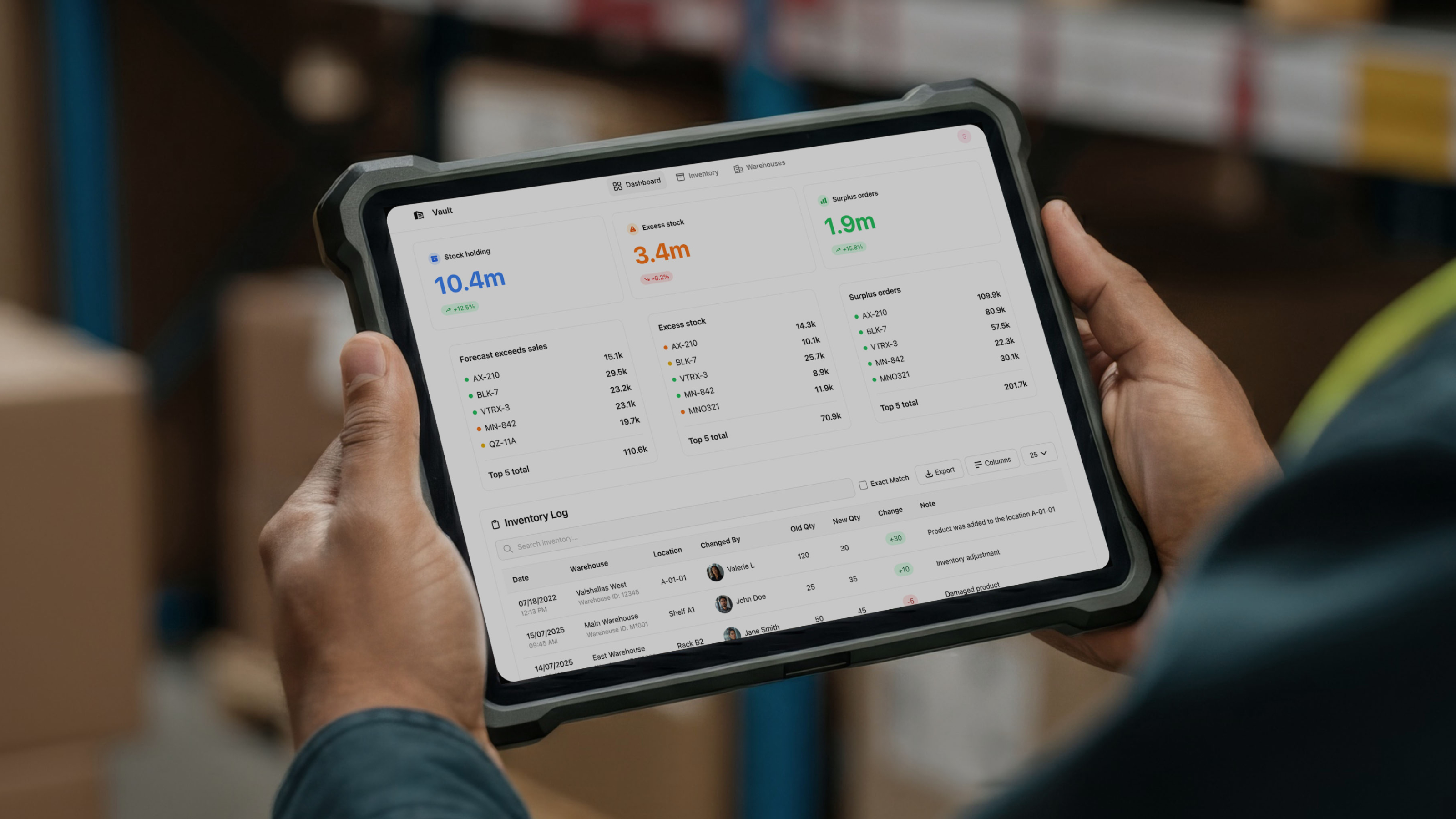
From enterprise sales teams managing their leads with a custom CRM to project managers tracking progress on tasks, spreadsheets have become indispensable at work. But they also have some very real limitations. Here are a few great reasons why you may benefit from turning your spreadsheet data into an app:
Mobile accessibility: Spreadsheets are challenging to use on mobile devices. Cells are small on a smartphone screen and difficult to edit. Apps feel more natural to use on a phone or tablet and adapt to suit the size of the screen.
Selective sharing: A spreadsheet is all-or-nothing when it comes to sharing. With an app, you can gate certain data while sharing just the information the recipient needs. This makes it better for sharing data with clients, customers, and contractors.
Data integrity: It’s too easy for data in a spreadsheet to be inadvertently overwritten or for spreadsheets to be copied so many places that the duplicates get used inadvertently. Making an app lets you lock down data so it can’t be changed by accident, and gives you better version control to keep your data consistent. Replacing manual copy and pasting with automated workflows in an app makes your data even more reliable.
Extending abilities: Apps have abilities that expand beyond what you can do in a spreadsheet. You can build in automations to save work, integrate with other software more easily, and even add AI abilities to extend the power of your data. With the right app builder, you can also add useful features like voice recorders, photos and images, barcode scanners, and buttons that trigger actions, like a “Contact” or “Print PDF” button.
Visual appeal: Apps give you more freedom and flexibility in how you show your data. You can display photos, add charts and graphs, and hide unnecessary data to minimize clutter. With an app, you can make a working environment that’s visually appealing or create external apps that feel more professional for customers.
What options are there for spreadsheet app builders?
There are a ton of different platforms that are recommended as spreadsheet app builders, but not every platform will be best suited for your use case or needs. The emergence of AI coding has added even more. Here are the three main categories of tools you can use to turn a spreadsheet into an app and how to evaluate them:
Vibe coding platforms
New vibe coding platforms like Lovable, Bolt, and Replit use AI to help you create software from natural language prompts. While it’s possible to use these platforms to convert a spreadsheet into an app, there are major problems with vibe coding when you’re using personal data like a spreadsheet. AI-generated code often contains significant security flaws so using these platforms for spreadsheets with personal data exposes you to significant safety risks. Vibe coding is only a good option if your spreadsheet contains entirely non-private or non-sensitive data.
Spreadsheet add-ons
Some spreadsheet applications, like Airtable, have built-in features to convert your existing spreadsheet into an app-like interface. There are also standalone plug-ins that give your spreadsheet a simple structure. These can be a great quick-fix when you need a super simple interface layer for your spreadsheet data, but you won’t be able to create anything especially complex or fully featured. A spreadsheet add-on might be a good option if you need to quickly spin up a reporting dashboard or create a basic portal to share your data.
Low-code and no-code platforms
These are app-building platforms that allow users to create software without writing code. No-code platforms enable users to create software without writing any code at all. Low-code tools are meant for technical users to speed up the development process. They still require writing some code to use.
Low/no-code app builders have a wide range of features, building processes (and difficulty), and ideal use cases. One might be great for beginners making very simple apps, while another is only suitable for highly skilled technical users. You also need to evaluate how well a platform works with the data sources you’re using. Some spreadsheet platforms even offer their own app builders, but that doesn’t necessarily mean they’re the ideal tool for your needs.
Here are a few of the most popular options:
Softr: Best for quick, simple apps without too much complex logic or customization. Softr is typically considered the easiest to use, but the tradeoff is flexibility and power.
Adalo: Best for making native apps if you need to publish to or sell on the app store. Adalo is less suited to more complex apps and has fewer integrations than other platforms, but it’s the go-to if you need a true native app for the public.
Google AppSheet: Best if you need to stay in the Google ecosystem and already have a highly structured Google Sheet. AppSheet is more rigid than some other builders in terms of both design and data structure, and has a moderately steep learning curve.
Microsoft Power Apps: Best if you need to create especially data-heavy interfaces and have a technical team on hand, since it leans more to the low-code end of the spectrum. It has less design flexibility and integration abilities in general, but is a good choice if your focus is primarily on the display of and interaction with data.
Glide: Best for building internal tools and business apps from spreadsheets. Glide began as a spreadsheet app builder, and it remains one of the fastest, most powerful ways to convert spreadsheet data into apps. This platform has a good balance of ease of use and power (including the ability to add automated workflows and AI features), built-in adaptive design across all devices, and a broad range of spreadsheet data sources and integrations.
What makes Glide a good spreadsheet app builder?
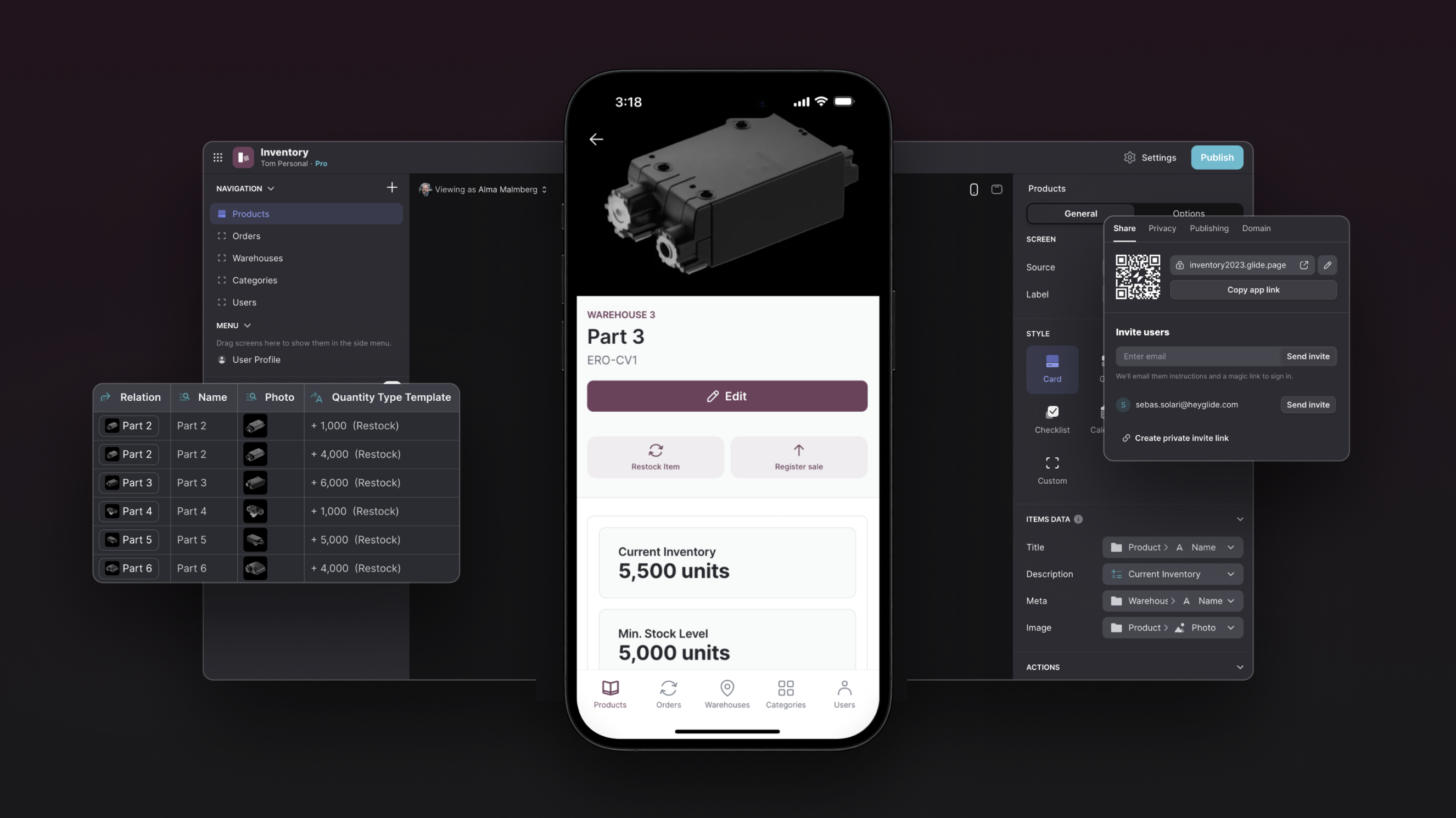
At its core, Glide is a data-first app builder. Your first step when creating an app is to connect to a spreadsheet or database. Glide will understand your data structure and start you off with a basic interface, already tailored to and populated with your data.
Let’s break down what specific features of Glide make it a good choice of spreadsheet app builder, specifically for business software and data-based applications. These are the features that will determine who can use Glide to generate apps, what types of tools you can build, what kinds of abilities you can add to those tools, and how your new apps will be able to connect to the other software in your tech stack.
Diverse data sources
The most important factor in choosing a spreadsheet app builder is fairly clear — what kinds of spreadsheets does it connect to? Glide offers native integrations with data sources like Google Sheets, Airtable, and Microsoft Excel via OneDrive or SharePoint. If you want to upload a spreadsheet from offline and store the data in Glide’s native data source, Glide Tables, you can upload a CSV. This can give you added performance and speed since your app won’t need to sync with outside data. You can also connect your app to relational databases like MySQL, BigQuery, PostgreSQL, Google Cloud SQL, MySQL, and SQL Server. If you need additional data in your app, Glide’s native database, Big Tables, can scale up to 10 million rows. If you need to connect with a data source without a built-in integration, you’re able to create custom connections with the Glide API.
Fast and easy to learn
Glide is a true no-code platform, so you won’t need any programming expertise to use it. However, it will help to have a basic understanding of data structures and software logic. Overall, if you are comfortable with Excel formulas, you can build an app in Glide.
You interact with a drag-and-drop interface to build screens, lists, forms, and dashboards. Then add customizable components like tables, cards, Kanban, maps, calendars, charts, buttons, and more.
If you’re starting from a spreadsheet, Glide will actually create an initial interface for your app automatically, based on the structure of your spreadsheet and pre-populated with your data. For a simple build, you may just need to tweak a few details and publish. Creating your initial basic app is fast and easy; many businesses report being able to build their first MVP in a day or so. From there, you can scale it, adding complexity. Glide has a rich variety of resources for learning, including technical documentation, courses in Glide University, and Certifications.
If you really need a solution quickly and think you could benefit from experienced guidance, Glide also has a large network of Glide Experts and Agencies you can hire to help you with your build.
Professional design system
Glide has a well-thought-out design system, so you won’t need to spend extra time on design. Your apps look polished and professional by default, and they’ll be automatically updated to stay modern-feeling over time. Glide apps use adaptive design so they will adapt functions t any device and operating system without extra work. This high-quality design saves time in the building process, but it also means that many businesses turn to Glide for external-facing apps, such as customer or client portals, to present a professional appearance.
Real-time sync on any device with PWAs
Apps created with Glide are progressive web apps (PWAs), meaning they run in a web browser on mobile, tablet, or desktop and can be “installed” to a home screen for an app-like experience. This approach is ideal for internal or private business applications. If you’re creating an app from spreadsheet data, you’ll usually want a PWA since it will live on top of the shared data in that spreadsheet and keep it updated in real time.
App builders will typically create one of two types of apps: progressive web apps (PWAs) or native apps. A native app is downloaded from an app store, such as Google Play or the Apple App Store, and resides on the user’s specific device. You need to design them separately for iOS and Android, and they typically either don’t sync data or only sync at certain intervals when the user has a connection. Native apps are typically better suited for SaaS tools and public-facing apps, while PWAs are more suitable for internal tools and business applications.

Automation, AI, and complex logic
You can add automated workflows, conditional logic, and AI capabilities to extend the power of your spreadsheet and make the wrestling app much more effective for its users. Glide supports relations, computed fields, and lookups, allowing you to build data models without writing SQL. Conditional logic in Glide means you don’t need to go back into your spreadsheet to write formulas; instead, you can do it all in your app.
Glide Workflows has a native automation builder. You can use it to run actions automatically on form submissions, edits, schedules, or button clicks. You have access to a wide variety of built-in integrations that can also extend your app, and you can create more automated connections with Make and Zapier.
Glide AI enables you to integrate AI features directly into your app, connecting them seamlessly to your data. You could have your repair tracking app automatically transcribe and summarize voice memos in an email when technicians record them to your app. Or give users the ability to generate a product description automatically when they upload a new photo to your inventory management system. Or even let them snap photos of their receipts so AI can automatically extract the data and categorize it in your expense tracker. AI can save your users time and make your data more useful.
Security and admin controls
Unlike a spreadsheet, an app gives you granular control over who can access, see, and change every part of your data. In addition to adhering to strict data security standards like SOC2, Glide has security features that give you the ability to control the security and privacy of your data in a range of ways.
To adjust visibility settings, you can use row-level security and permissions based on user role or team. Role-based permissions let you ensure different users see different data or hide data from users that shouldn’t see it (or simply don’t need to). This is useful for creating customer portals or minimizing distracting clutter in an employee-facing app.
You can also control who can log into your app. First, set your app to Public or Private. Then, limit who can log in to your app by their email domain or by specific lists, like a client list. Enterprise teams can also get access to SSO.

How to turn an Excel spreadsheet into an app
Learn howTransform your spreadsheets into tools as fast as you need them
While Excel formulas, pivot tables, and elaborate formatting will always be a part of daily work, learning to use Glide gives you a whole new operational lever to pull. You gain the ability to create real tools that extend the power of your original spreadsheets. Mobile apps that can fill gaps where spreadsheets couldn’t, solving more problems and streamlining more systems for your business.
Once you’ve built your first app, look at the rest of the spreadsheets you or your team are logging into on a regular basis. Are there more opportunities there?


